
OpenReel is part of the Banzai family.
OpenReel is part of the Banzai family.
OpenReel is part of the Banzai family.
Changelog
Our changelog is a detailed record of all notable changes updates, and improvements made to our products.
Release 2.39
Capture
Background blur for recorded clips
For any Clip that is accessible from the Projects page, being a Capture, UGC, or a Self-Record now we support the Post-production background blurring
Instant Self-Record usability improvements
UI & UX updates bringing in refreshed and modern styling for Self-Record flow
Ability to Record both Camera and Screen at the same time, resulting with 2 individual clips
New Teleprompter in Self-Record with abilities to write, preview, and run a Script in a pop-up mode that can be placed anywhere around the screen
Creator
Video Seek interactions
By providing the exact timing in the Video seek bar, now we quickly jump to that point in the video
As users are manually seeking the video, the corresponding Scene is automatically selected for further editing
Creator Self-Record updates
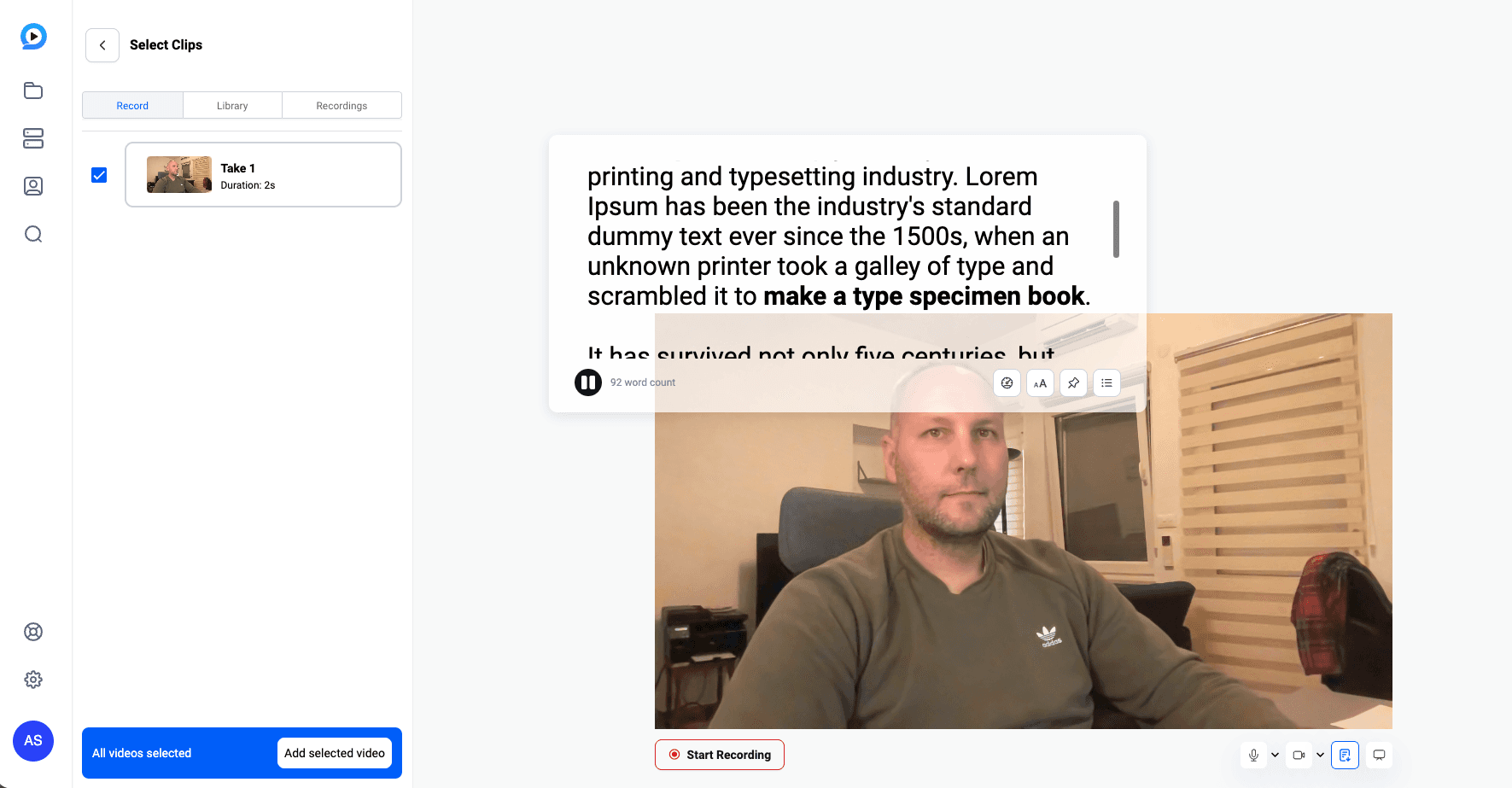
Refreshed and aligned UI & UX for the Self-Record flow directly from the Creator project, with Teleprompter included
Additional color picker features
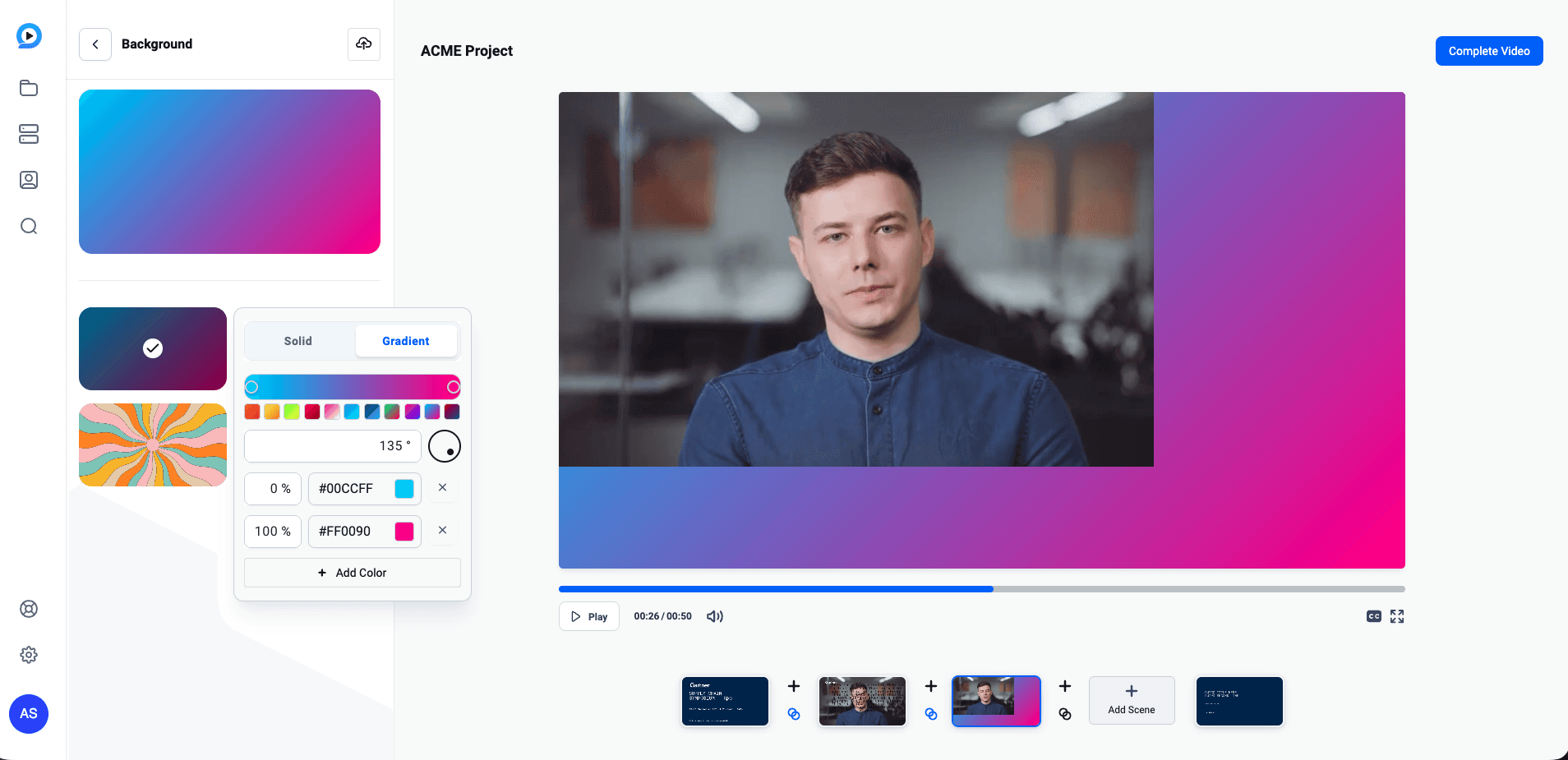
Gradient feature added for the background color
Color pickers now support the transparency (alpha channel) with a set of predefined gradient colors selection
New Scene interactions introduced
Ability to move Scene elements with keyboard arrows (tip: hold shift to move faster)
Scene can now be locked for further editing
Scene transitions are preserved on Aspect Ratio change
More control over transitions
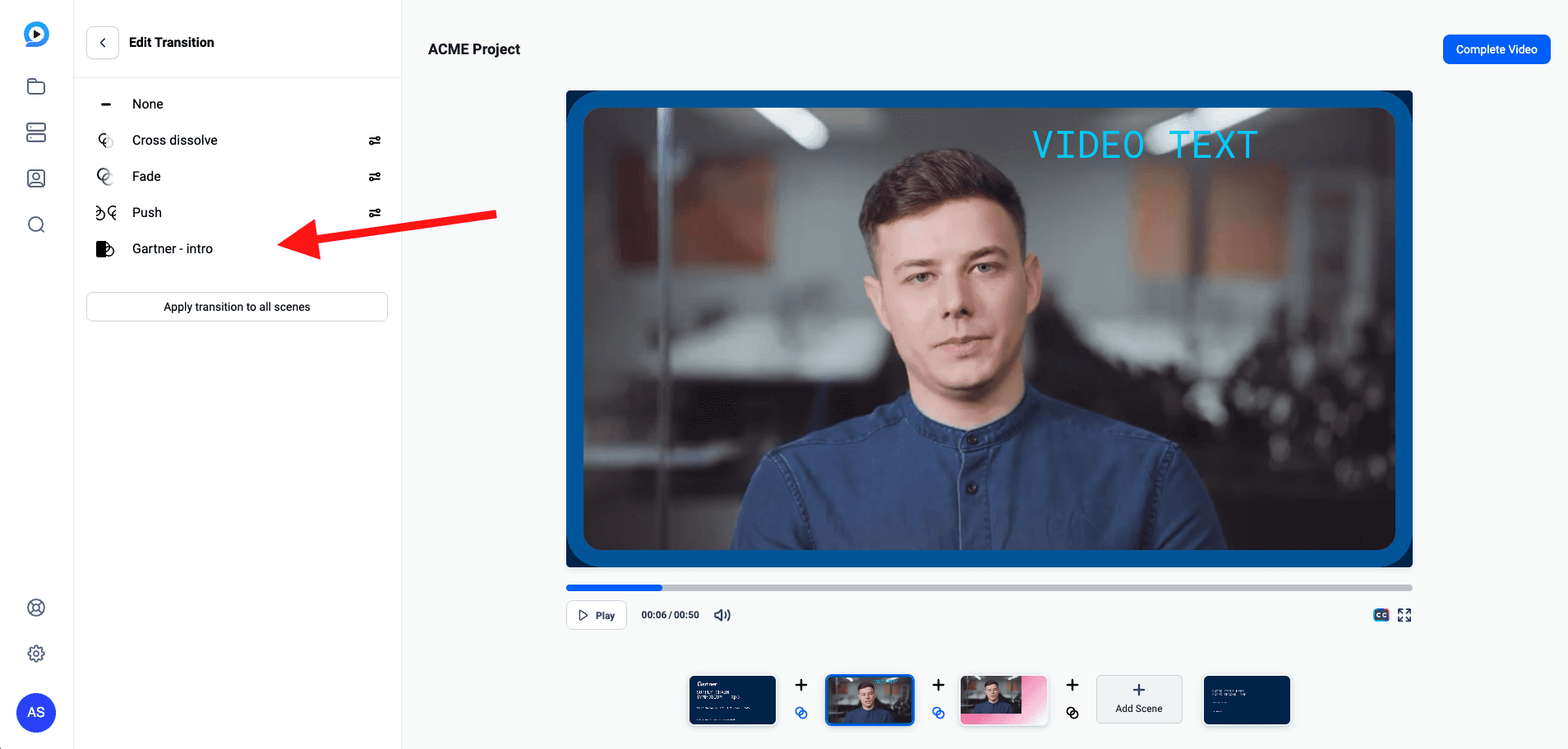
Users can now see and choose transitions that are defined in the Template
Library
Sentiment analysis
We’re now showing the key sentiment indicators directly below the video, allowing users to quickly jump into more detailed sentiment analysis
Settings and Integrations
Wistia integration
Under our Integrations we’ve added Wistia, allowing easy video migration flow
Branding improvement
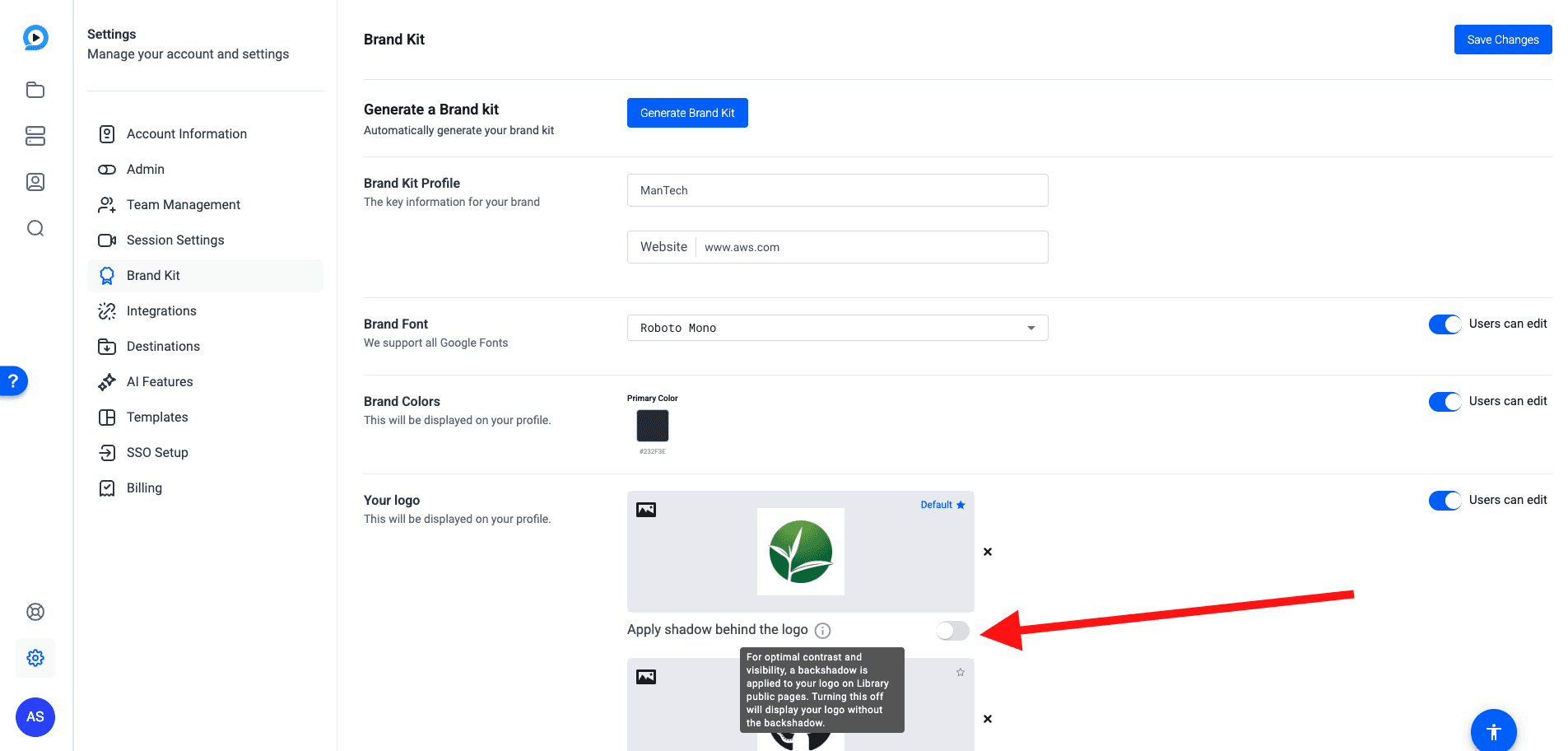
For Accounts that have a transparent Logo which is not fully visible on branded pages across OpenReel, now it’s possible to apply a drop shadow that will increase the logo visibility
Settings UI alignment
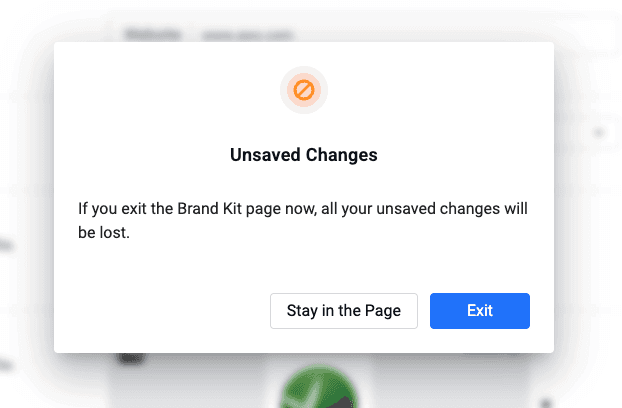
We’ve updated and aligned pop-up styling across all Settings pages
Release 2.39
Capture
Background blur for recorded clips
For any Clip that is accessible from the Projects page, being a Capture, UGC, or a Self-Record now we support the Post-production background blurring
Instant Self-Record usability improvements
UI & UX updates bringing in refreshed and modern styling for Self-Record flow
Ability to Record both Camera and Screen at the same time, resulting with 2 individual clips
New Teleprompter in Self-Record with abilities to write, preview, and run a Script in a pop-up mode that can be placed anywhere around the screen
Creator
Video Seek interactions
By providing the exact timing in the Video seek bar, now we quickly jump to that point in the video
As users are manually seeking the video, the corresponding Scene is automatically selected for further editing
Creator Self-Record updates
Refreshed and aligned UI & UX for the Self-Record flow directly from the Creator project, with Teleprompter included
Additional color picker features
Gradient feature added for the background color
Color pickers now support the transparency (alpha channel) with a set of predefined gradient colors selection
New Scene interactions introduced
Ability to move Scene elements with keyboard arrows (tip: hold shift to move faster)
Scene can now be locked for further editing
Scene transitions are preserved on Aspect Ratio change
More control over transitions
Users can now see and choose transitions that are defined in the Template
Library
Sentiment analysis
We’re now showing the key sentiment indicators directly below the video, allowing users to quickly jump into more detailed sentiment analysis
Settings and Integrations
Wistia integration
Under our Integrations we’ve added Wistia, allowing easy video migration flow
Branding improvement
For Accounts that have a transparent Logo which is not fully visible on branded pages across OpenReel, now it’s possible to apply a drop shadow that will increase the logo visibility
Settings UI alignment
We’ve updated and aligned pop-up styling across all Settings pages
Release - 2.38
Capture
Project Naming: Increased project name limit from 40 → 100 characters.
Dashboard Role Alignment: Session creation now respects collaborator permissions.
Creator
UI/UX Enhancements:
Multiselect Sidebar with batch actions and Previewer multiselect refactor for performance.
Redesigned Transitions interface (entrance/exit menus + overlay).
New “Apply Styles to All Scenes” button for lower thirds.
Project name hidden during self-recording for clean UI.
Added keyboard shortcuts (undo/redo, duplicate scene or elements).
Improved textbox dragging and vertical caption alignment.
Virtual Backgrounds: Users can upload and manage custom or blur backgrounds.
Shapes & Gradients:
New basic shapes (circles, arrows, stars, multi-corner polygons).
Gradient and stroke support for shapes.
“Full Arrow” and concave star options for design flexibility.
Color Picker Update: Gradient support for borders and shapes.
Upload Experience:
Global uploader for sidebar + previewer uploads with progress widget and leave-page warning.
Multi-image upload (up to 5 at once).
Improved drag-and-drop UX and visual feedback.
Other Features:
Global Undo/Redo in Zoom screen.
Switching layouts retains timeline integrity.
Added Soundstripe promo banner with click tracking.
Added Lottie multiline text fields.
Upload Warnings: Displays alert on page exit if uploads are in progress.
Shapes Integration: Added shape support in Layer Combinations.
Library
Universal Library Access: Library enabled for all accounts as default landing page; dashboard removed.
UI Enhancements:
Refreshed project cards (show owner + clip count).
Active filter count indicator on Projects / Videos pages.
Modern color picker and blue sidebar highlight for active menu.
Library UI refresh (updated tiles, fonts, shadows).
Integrations & Paths:
Global Search now includes Hosting folders.
Projects page moved under Library.
Decoupled Library access from Creator account expiry.
Release - 2.38
Capture
Project Naming: Increased project name limit from 40 → 100 characters.
Dashboard Role Alignment: Session creation now respects collaborator permissions.
Creator
UI/UX Enhancements:
Multiselect Sidebar with batch actions and Previewer multiselect refactor for performance.
Redesigned Transitions interface (entrance/exit menus + overlay).
New “Apply Styles to All Scenes” button for lower thirds.
Project name hidden during self-recording for clean UI.
Added keyboard shortcuts (undo/redo, duplicate scene or elements).
Improved textbox dragging and vertical caption alignment.
Virtual Backgrounds: Users can upload and manage custom or blur backgrounds.
Shapes & Gradients:
New basic shapes (circles, arrows, stars, multi-corner polygons).
Gradient and stroke support for shapes.
“Full Arrow” and concave star options for design flexibility.
Color Picker Update: Gradient support for borders and shapes.
Upload Experience:
Global uploader for sidebar + previewer uploads with progress widget and leave-page warning.
Multi-image upload (up to 5 at once).
Improved drag-and-drop UX and visual feedback.
Other Features:
Global Undo/Redo in Zoom screen.
Switching layouts retains timeline integrity.
Added Soundstripe promo banner with click tracking.
Added Lottie multiline text fields.
Upload Warnings: Displays alert on page exit if uploads are in progress.
Shapes Integration: Added shape support in Layer Combinations.
Library
Universal Library Access: Library enabled for all accounts as default landing page; dashboard removed.
UI Enhancements:
Refreshed project cards (show owner + clip count).
Active filter count indicator on Projects / Videos pages.
Modern color picker and blue sidebar highlight for active menu.
Library UI refresh (updated tiles, fonts, shadows).
Integrations & Paths:
Global Search now includes Hosting folders.
Projects page moved under Library.
Decoupled Library access from Creator account expiry.
Release - 2.35
Audio extraction from Library videos
Users will be able to extract the audio from their Library videos (including built Creator videos). Previously this could only be done on a per clip level
Supported browser verbiage in platform emails
Previously it used Chrome and Firefox, this has been updated to Chrome and Edge (Firefox still works, but we are no longer officially “supporting” it)
Teleprompter for Capture Lite
Previously this was a Capture Pro feature only, but is being introduced to Capture Lite as well
UI updates for Creator
The UI has been updated in Creator to better align with the other updates in the platform, along with improving the UX for users to be more sensical
Filters will be available on the Project and Library levels
This can include project type, access, users, dates, etc.
Draft labels in Library
Videos or projects that are a draft, will have a corresponding draft label for the thumbnail that is in the library
Release - 2.35
Audio extraction from Library videos
Users will be able to extract the audio from their Library videos (including built Creator videos). Previously this could only be done on a per clip level
Supported browser verbiage in platform emails
Previously it used Chrome and Firefox, this has been updated to Chrome and Edge (Firefox still works, but we are no longer officially “supporting” it)
Teleprompter for Capture Lite
Previously this was a Capture Pro feature only, but is being introduced to Capture Lite as well
UI updates for Creator
The UI has been updated in Creator to better align with the other updates in the platform, along with improving the UX for users to be more sensical
Filters will be available on the Project and Library levels
This can include project type, access, users, dates, etc.
Draft labels in Library
Videos or projects that are a draft, will have a corresponding draft label for the thumbnail that is in the library